copy.jpg.dd4bdbb41ccb3ea8a585d1ad217ef61b.jpg)
.jpg.da03509438cc84820b8cf5d64db570ab.jpg)
Austin David
-
Posts
426 -
Joined
-
Last visited
Content Type
Profiles
Forums
Store
Articles
Gallery
Events
Library
Everything posted by Austin David
-
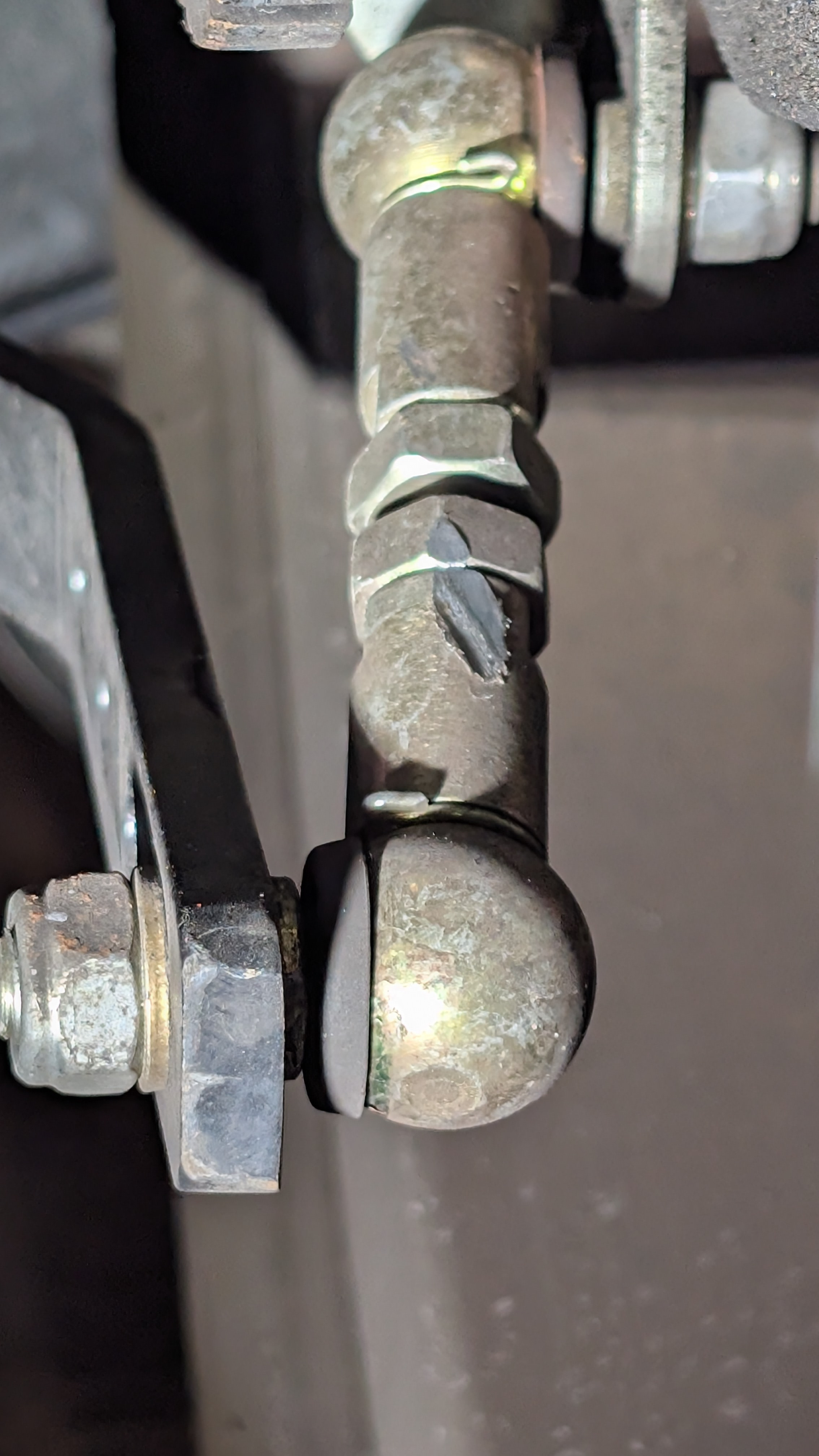
I'm not a particularly good driver, but when I was getting mine aligned the fella noted that I had a rear ARB and that it wasn't really needed. I pointed out that I'd already loosened it up once -- the 360 motor is torquey. Then he said something like "you loosen it, you leard to drive with the throttle, you loosen it, you learn to drive with the throttle, eventually you take it out." Mine's still in there, on the lowest setting. I like having so little body roll, but I don't race. The tail gets a lil squirrely when I want, it's fine. I assume the implication is that if you drive it hard enough you need all the rear grip you can get, no RARB. That said, I just walked outside and looked at mine. 18500 miles, no racing. Left side (driver side) end link had the outer clip bent, but otherwise no obvious damage. Right side shows some wear, not as much but a similar pattern as the link you shared. Based on the scuff I think it's hitting the speedo wheel (not pictured). I'll remove it this week.

-
I was told the rear ARB comes off with throttle steer. Maybe there's an "add lightness" solution here?
-
+1 Bambu. It'll print PETG and PCTG great. If you need something more exotic you can prototype it and just send out for an engineering material. A1 is a great machine; if you're just dabbling, start there. Parts are readily available and it's easy easy to use
-
If it needs to be FLAT you may want to sand it down, regardless of orientation. Nothing wrong with a little post-process for functional parts
-
.thumb.jpg.885191d302e6c3704c848a8f5ac3a612.jpg)
Cheap way to make your Cat seat more comfortable.
Austin David replied to Saudio's topic in General Sevens Discussion
I grabbed one of these, it's good with my "signature" seats from 2021 (I assume pretty standard leather seat). I'm going to remove the straps, they're not needed. It just fits between the two side bolsters, and just resting against the seat is placed correctly. Not too fat either and has some compression. Hoping to get a few hours on it soon. -
Aiming for "leaves" but I know it's hard to predict. I know it can be hard to navigate family stuff, that's what kept me home last year :/ Last time I mapped it out I was thinking to stay around Blowing Rock on day 1, but I think a lot of the BRP might still be closed between there and Asheville? I'm definitely game to run up the coast and catch you on the way.
-
I am off and SICK AND TIRED of not driving around way too much. Let's do leafs this year for reals. Who's in? I'd like to spend a lazy day heading up from Charleston, day 2 drive around at least a day, then back . During the week (IIRC) the rates and availability are better. I assume I'll need to pack my weather gear and a cover, both of which are like a 5-10 minute effort I will reluctantly undertake.
-
Photo of your car you took today
Austin David replied to Xhilr8n's topic in General Sevens Discussion
Drive it home!! -
Photo of your car you took today
Austin David replied to Xhilr8n's topic in General Sevens Discussion
bonnet* -
I usually ride around with very effective earplugs, which means the first ride w/o earplugs is a bit of "is that normal". I highly recommend taking a pre-ride before big changes to be sure you know what "normal" sounds like
-
I feel like you got a pretty solid deal on that ride. Enjoy the h*ck out of it!
-
The torque spec is in the arm of a skilled mechanic.
-
Ditto. I assume it was painted (coated?) to match the frame
-
Photo of your car you took today
Austin David replied to Xhilr8n's topic in General Sevens Discussion
mailin stuff
-
this
-
Congrats! That's a pretty car. Personally I'd put an aeroscreen near the front of the list, esp for day trips. Smaller wheels and stuff are great but until you get to know the car you may not know the difference. For me I'd prioritize the first trip, then work from there.
-
The Regular Summary of Classified Ads of Se7ens Found For Sale
Austin David replied to Croc's topic in Cars For Sale
Congrats! You've got a lot of room to clean it up and still not* be horribly "underwater". Holler when you get it sorted, I'd love to get a group of Caroliners together for a lil run -
The Regular Summary of Classified Ads of Se7ens Found For Sale
Austin David replied to Croc's topic in Cars For Sale
Start or continue a build thread please! I plan to drive mine until I can prove it's open. Its been clunky from day 1 -
The Regular Summary of Classified Ads of Se7ens Found For Sale
Austin David replied to Croc's topic in Cars For Sale
I'm at 17k and "fairly sensible", my 2021 diff (M1 housing + titan guts) seems fine if noisy. I have read that the expected life is a lot lower, but here we are. I'm not looking forward to fishing it back out when it's time to replace the internals tho -
The Regular Summary of Classified Ads of Se7ens Found For Sale
Austin David replied to Croc's topic in Cars For Sale
HAHAHA I can't use a GoPro on my roll bar, the audio is dominated by the clunking. That LSD is about 6" away from your ear and very firmly attached to a drum. It's supposed to be loud. "clutch funny" doesn't sound right, but the hydraulics is simple. FWIW "needs several thousand dollars" is probably always true. Welcome to the show. My boy-math would include something about the utility of having one to play with while you keep looking, and the fact that if you were able to buy it, you can also sell it. It's not an "investment" but it's probably a pretty solid rental. Tires, "maintenance" etc are all true no matter what you get. The fact that it needs different tires would also be true if it had 10-year-old ZZRs. -
Prisoner Edition Caterham for sale - $36,000
Austin David replied to Columbiacaterham's topic in Cars For Sale
I've seen another of these here in Charleston! The first seven I'd seen. The color combo is pretty cool in person. I love that you have retractable seatbelts -- a better choice for a road car IMO -
Photo of your car you took today
Austin David replied to Xhilr8n's topic in General Sevens Discussion
finally figured out how to park up top; the clearance is a challenge with the crossbracing. Likely coming back down tomorrow, had to bring out a Miata for some suspension work.
-
quick plug for route7.austindavid.com which can more-easily make routes and export to Beeline ... also that's genius. I never even looked at that stem. but I like mine close to the line-of-sight, just above my right hand.
-
I interpreted it as "stopping point".
-
Photo of your car you took today
Austin David replied to Xhilr8n's topic in General Sevens Discussion
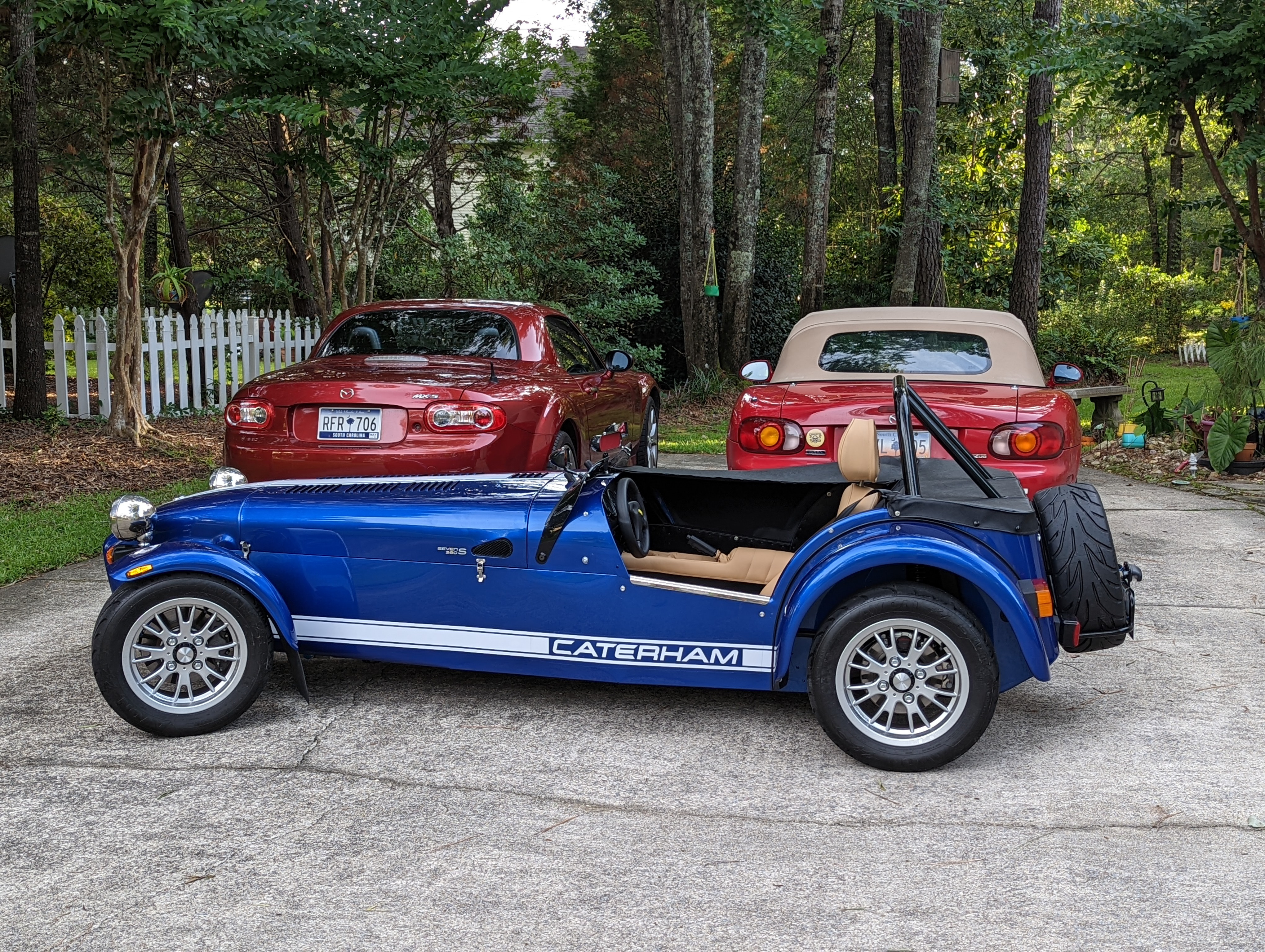
also a backup miata