JohnCh
-
Posts
3,406 -
Joined
-
Last visited
Content Type
Profiles
Forums
Store
Articles
Gallery
Events
Library
Everything posted by JohnCh
-

Best location for Heat and Sound Protection (Westfield Miata)
JohnCh replied to DanM's topic in General Tech
If that's a concern, I'd do a test install of the seats and measure remaining space to see how close it is in your specific car. If you want to be thorough, but don't also want to temporarily put the carpet in place, drape a smaller section over the tunnel along with a piece of the KOOL Mat and see what happens. -John -
Best location for Heat and Sound Protection (Westfield Miata)
JohnCh replied to DanM's topic in General Tech
Interior heat has never been a real issue for me except on brutally hot days in traffic. I'm not running any form of heat barrier on the footwells or tunnels, but my exhaust manifold is ceramic coated. Might be something to consider. I agree with others regarding sound dampening. It may help with some driveline noise, but it's kind of like opening a pint of ice cream and rather than eating the entire thing, you reserve the last spoonful because you are trying to lose weight. Is your waistline really going to notice that nod to restraint? Probably not... Best form of noise reduction in a se7en is a good set of earplugs. -John -
My car uses a swirl pot and has zero issues with starvation. Another option to consider is the Holley Hydramat. Unlike the swirl pot, no secondary pump is needed, and it doesn't require tank removal to fit. No first-hand experience with it yet, but I am using one in my upcoming build. -John
-
Wow, that's an impressive improvement, particularly over 6300 rpm. Do your driving impressions correlate with the dyno results? -John
-
Pinion seal source? 2016 CSR 260 with Ford Sierra differential
JohnCh replied to mca's topic in General Tech
This site has a lot of information on the various Sierra diffs that might help: http://www.super7thheaven.co.uk/components/sierra_rear_differential/ -John -
Maxxis RC-1's for Auto-X? Plus alignment specs?
JohnCh replied to ProfGriff's topic in Wheels and Tires
Someone who successfully raced in the Westfield Speed Series for many years provided me the settings below which he arrived at after significant testing. From a wear perspective, the front tires don't like that much camber on the street, but it definitely helps out in the corners, so it's a tradeoff I've been willing to make. Rake is a pretty important setting for a Westfield with IRS. Make sure you set that using the factory measuring points. Camber Front: -2.5 Rear: -1.5 Toe (total) Front: 16 min toe out Rear: 24 min toe in Chassis Rake +20mm rear to front -John -
Hell may be experiencing a cold spell...
JohnCh replied to JohnCh's topic in General Sevens Discussion
It has a name. In fact, a hint was provided in one of the photos shown in this post of my engine build thread. -John -
Hell may be experiencing a cold spell...
JohnCh replied to JohnCh's topic in General Sevens Discussion
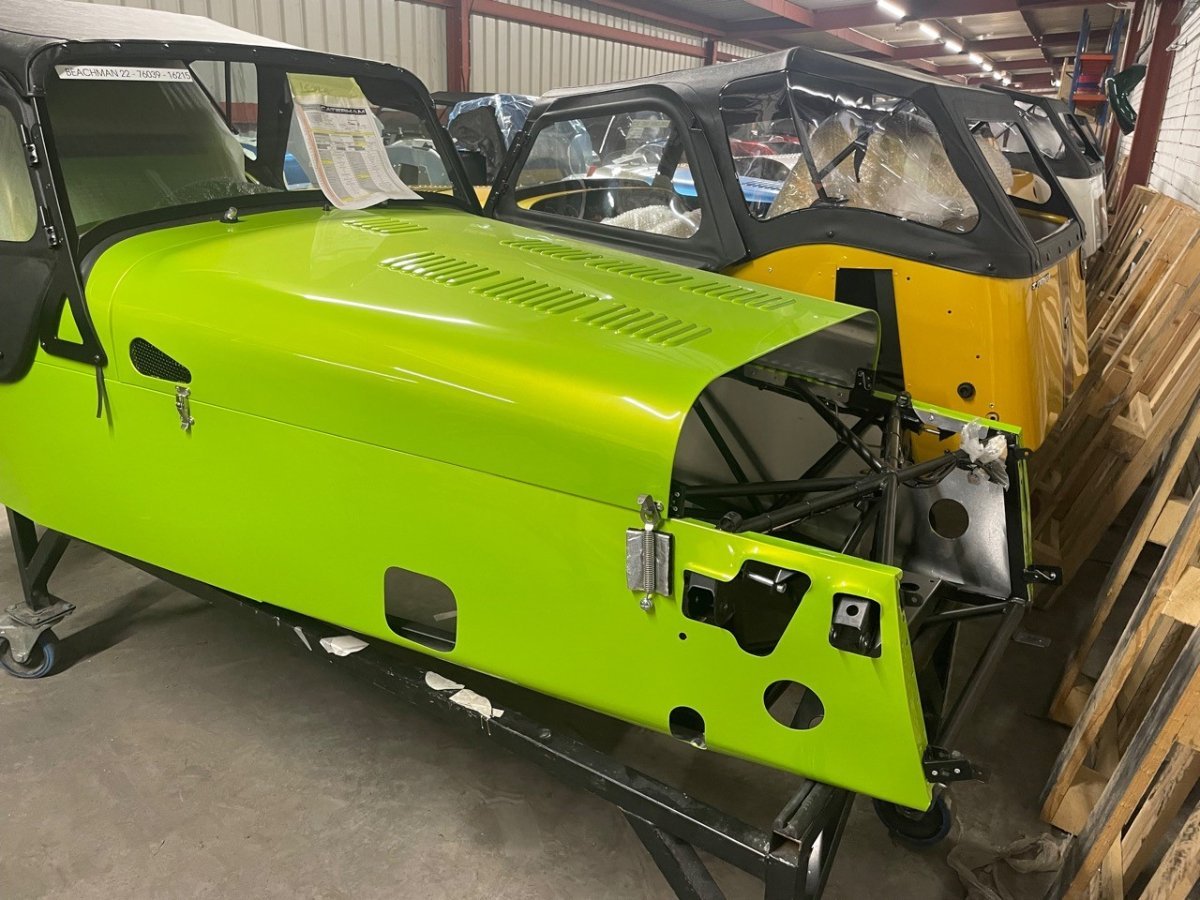
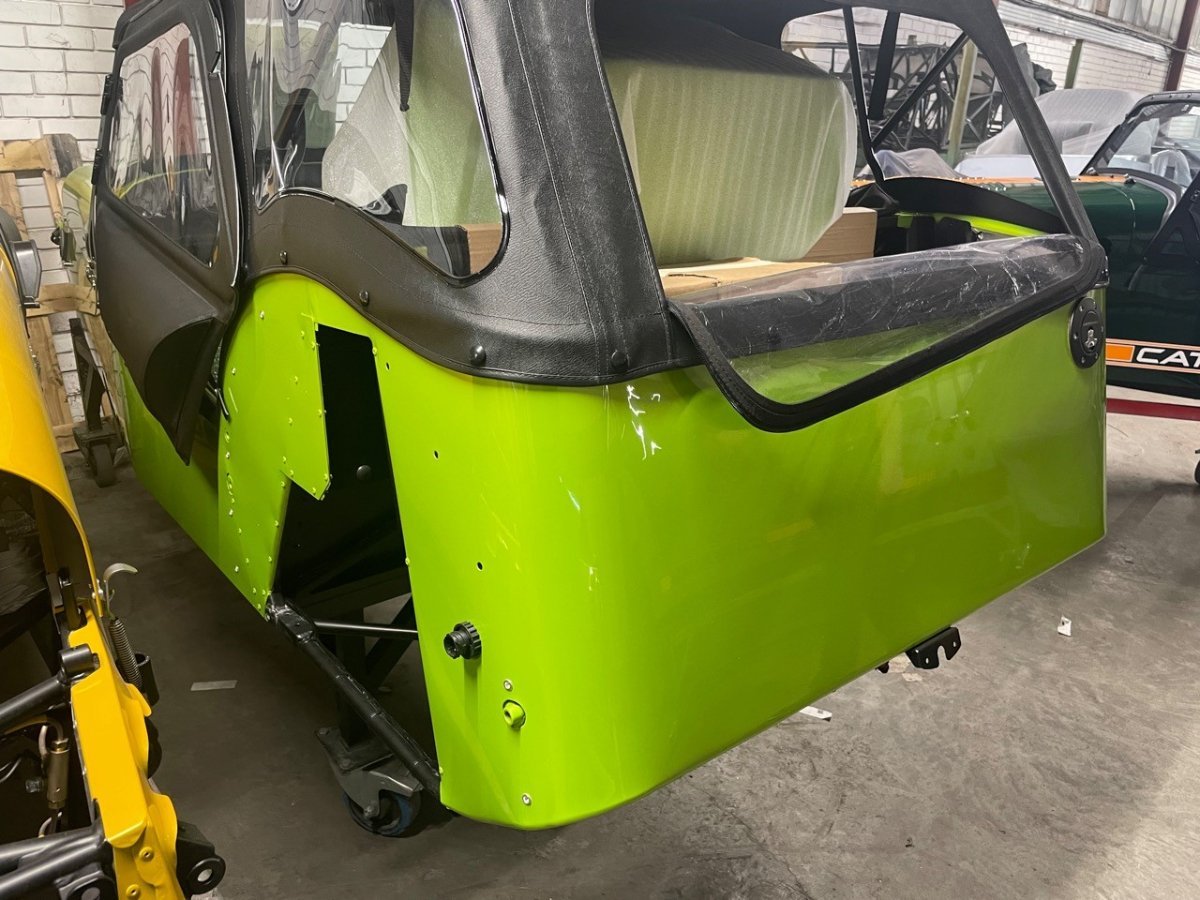
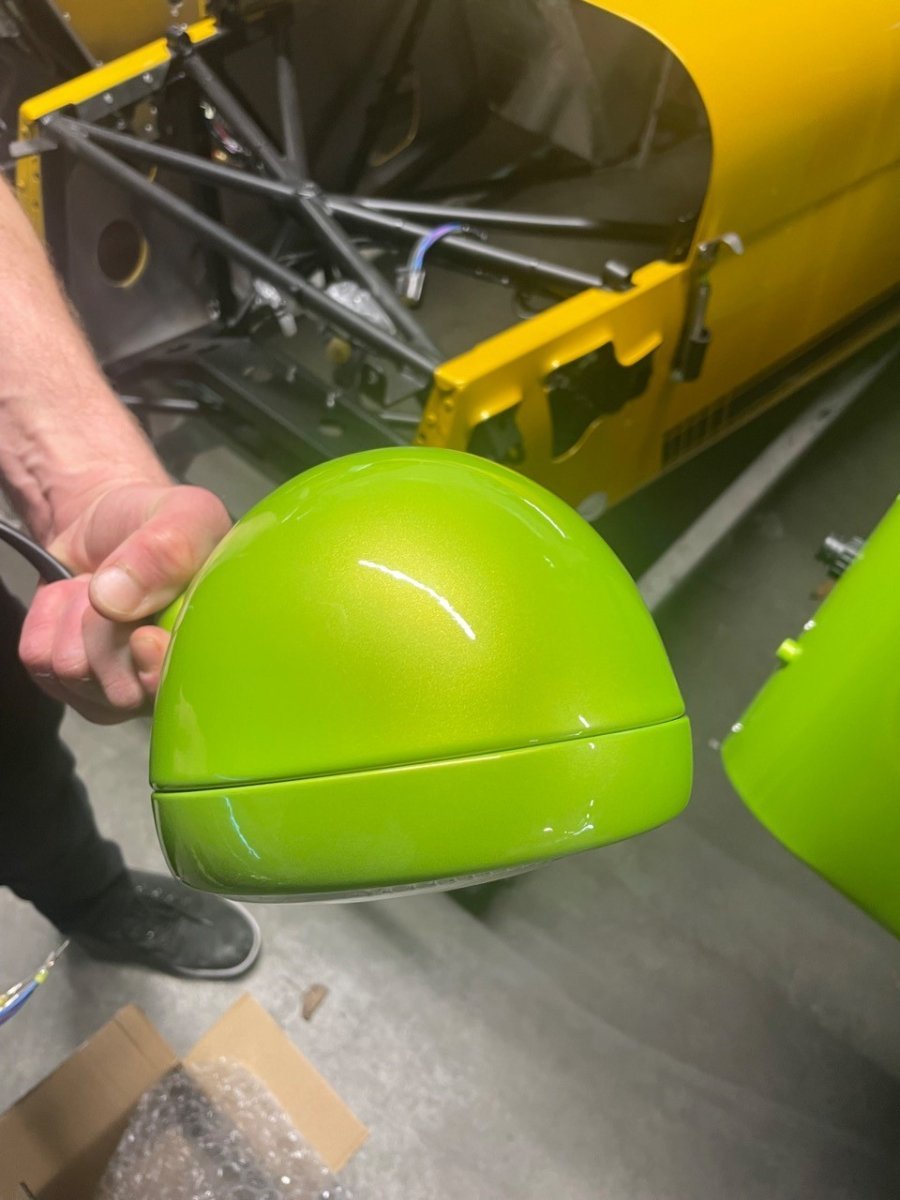
Bruce sent a few photos of my car this morning. It's complete but still waiting on silicone hoses and the 620 grill before it's ready for pickup by the shippers. If all goes well, the crates should be in my garage by mid June. I've seen a number of photos of cars this color in various lighting conditions that reveal it can go from a very bright green in direct sunlight to a little goldish in shadows and indirect light as in the factory shots below. I suspect it will prove to be a love/hate color. I'm just hoping I love it. If not, I suppose I can always keep the Westfield -John
-
Interesting. That confirms Ford either made a running change at some point or decided certain Duratec installations didn't require the port. -John
-
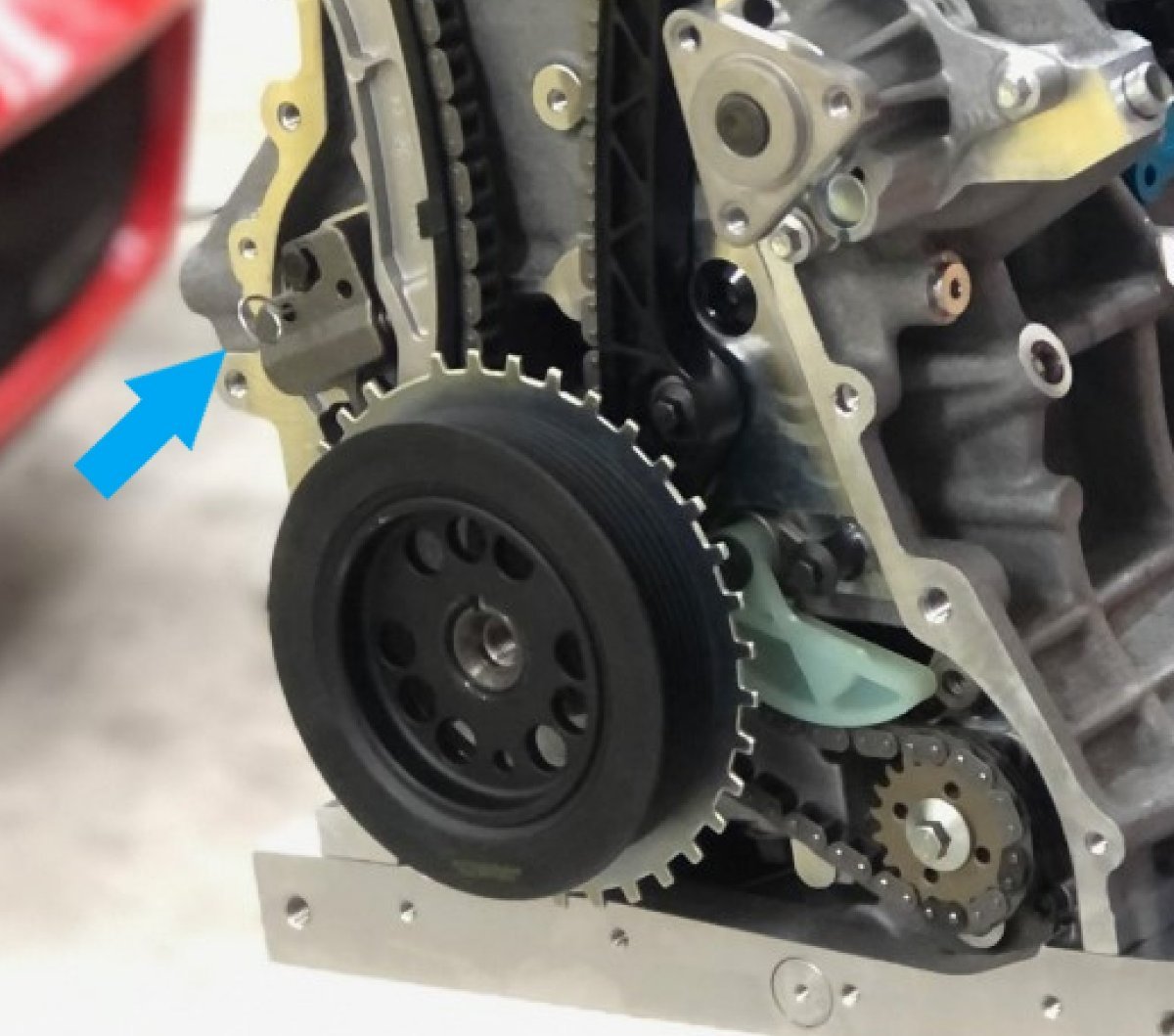
Andy, I wasn't referring to the alignment pins that locate the cover to the block and head. Rather, I meant the port over the timing chain tensioner that allows you to insert the pin that holds the plunger in place (see blue arrow). Every cover I've seen has this port with threaded plug, but Esslinger made a comment that they like that Mazda cover because it has this feature. I interpreted that to mean not all covers include it, but that could be wrong. It seems odd that would not be universal. -John
-
Looks like it and it even appears to have the port for the timing chain tensioner pin. And it's cheap! I paid a lot more than that for the used one and the best price I found at the time for the Mazda version was over $200 new. -John
-
My understanding is the 2.3L and 2.5L are interchangeable, but I would confirm that using a Ford parts search. As I recall, Esslinger uses this particular cover because it has a port over the timing chain tensioner that enables you to insert the pin that holds the plunger in place. My 2.0L has this same port, so my guess is that Ford may have removed it at some point, and Esslinger standardizes on the Mazda item which continued to use it. The Mazda part number is: L3AW-10-500. However, the part I received from the Mazda dealer (mazdaswag.com) was hideous. The worst new casting I have ever seen. After receiving my photos, they confirmed another recent sample sent by Mazda was in the same condition and appears to be the new norm. To their credit, they refunded my money without any pushback -- really good customer service. I then purchased a used one from a wrecking yard and spent time cleaning it up. That casting was much, much better. -John
-
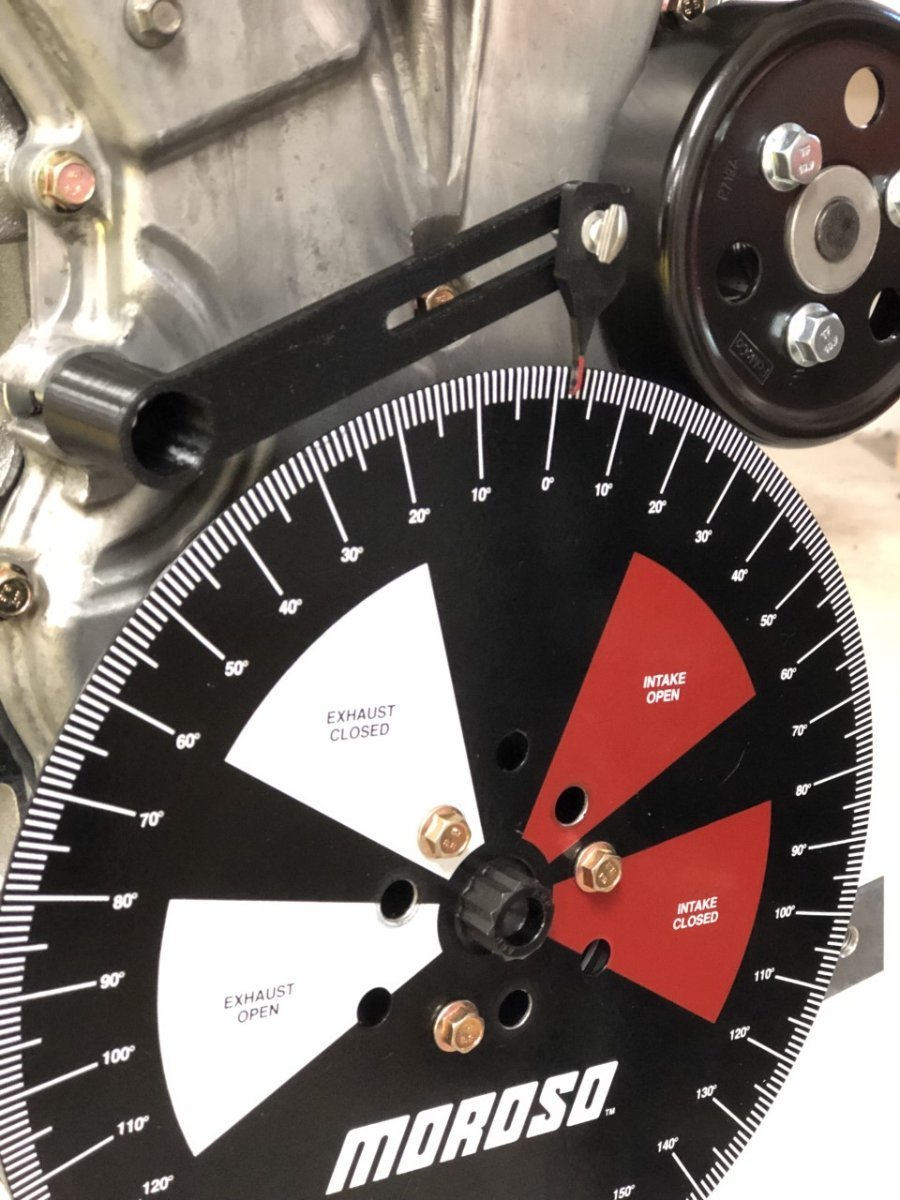
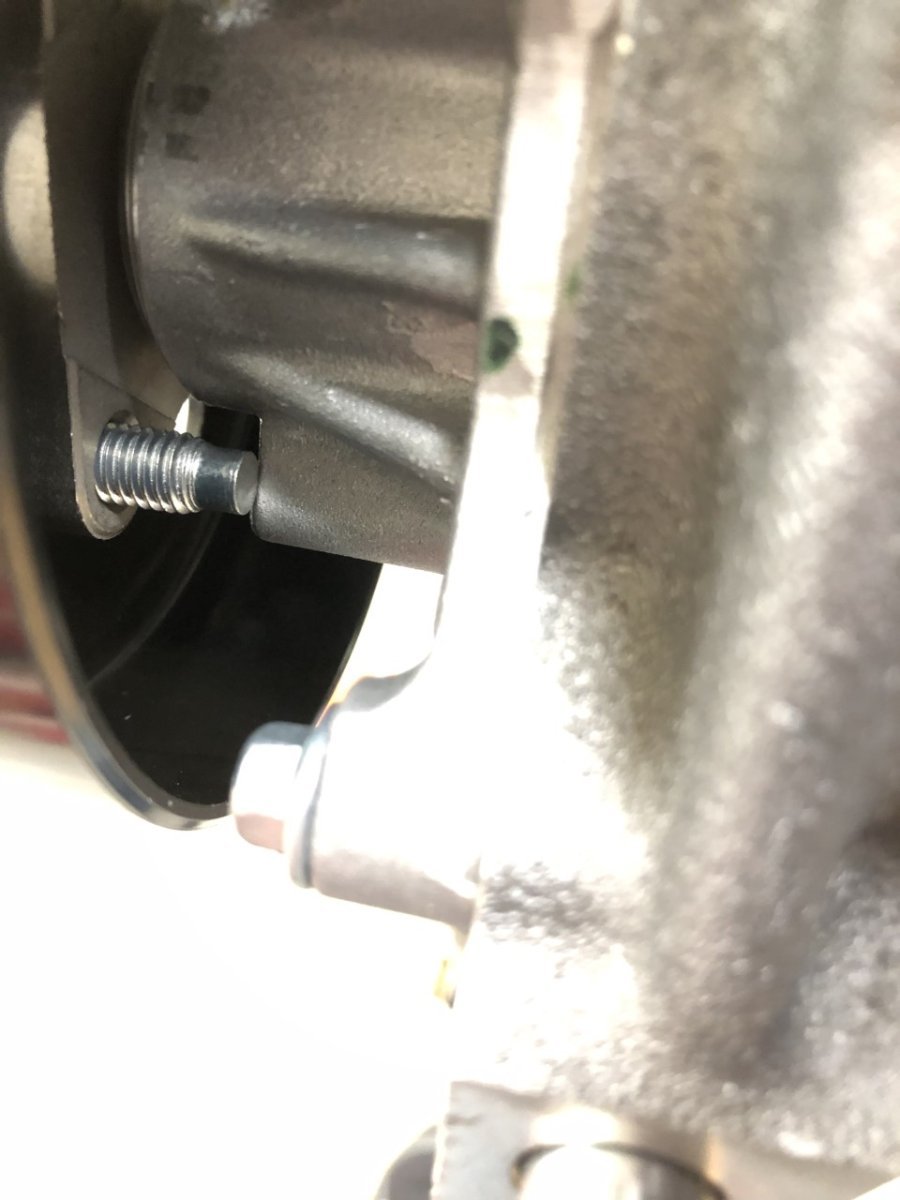
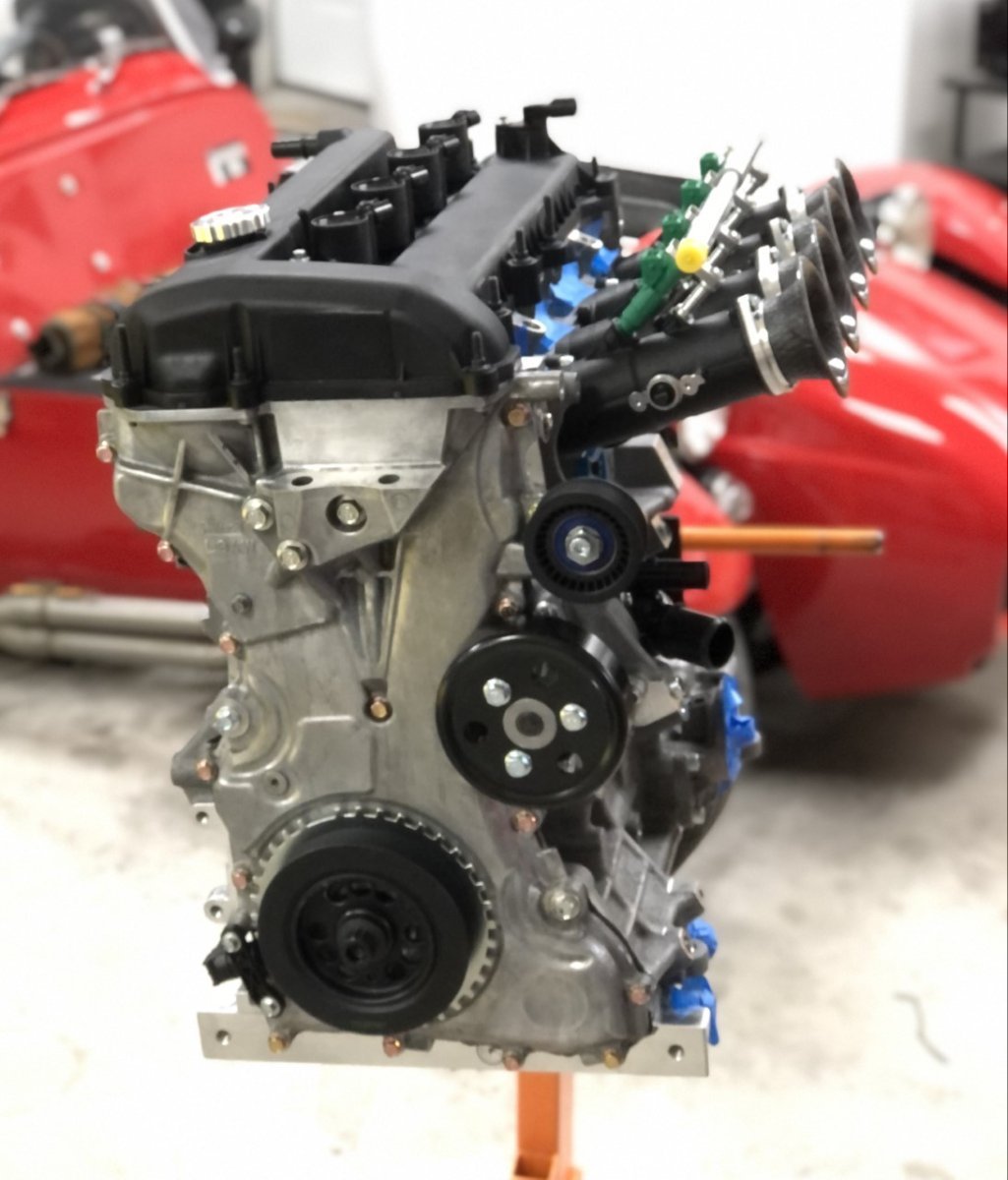
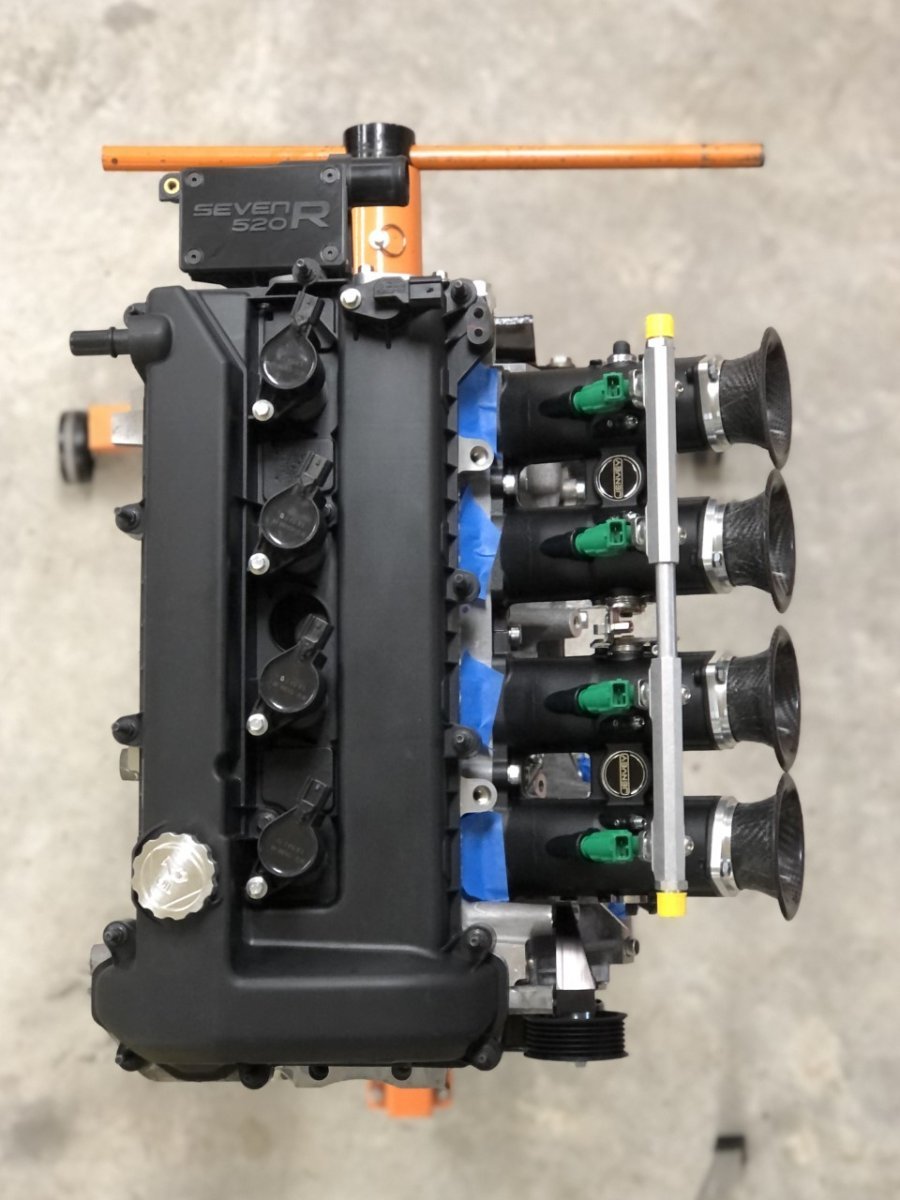
I realized I never updated this thread. Although life got in the way a bit, the engine is effectively done and ready for installation. The cam timing setup worked well after a slight redesign to how the wheel attached to the crank pulley. The initial design used a bushing that allowed a tiny amount of slip when the crank bolt was rotated. The new design rigidly attaches the wheel to the pulley with bolts that fit through new holes drilled in the face of the wheel which align with existing holes in the pulley. I also made a slightly different version that allows me to use the setup with the front cover in place as shown below. If you haven’t already joined the 3D printing movement, it’s worth exploring. Lots of things you can design and make that help out in the garage. Initial cam timing was set to Esslinger’s specs, but we’ll use the adjustable cam gear verniers to play with that on the dyno. I’ll reiterate something from my 2.0L build thread; buy a good quality dial indicator and adjustable holder. They make the job a lot easier and infinitely repeatable. Also, a bigger degree wheel helps. In my case, the new degree wheel's spacing between degree markers is over 60% wider than my old wheel from Kent Cams, making it easier to get a precise measurement. I tapped out after getting the cam timing less than 0.25 degrees from target, although TDC was dead on. There were only a couple of minor issues with the remainder of the assembly, with the two big ones related to the multiple versions of the Duratec that exist. First was bolt length for the front timing cover. Since I am using the front cover from a Mazda based on the recommendation from Esslinger, I also ordered the bolts from the dealer at the same time. When torquing them in place, it was clear there was a slight issue with one that screwed into the Raceline dry sump pan. After disassembling everything, it became clear that the Mazda bolts were a few mm longer than the Ford version (28mm vs. 25mm.) Although this didn’t matter when screwed into the mating holes in the block and head, or into two of the bolt holes in the Raceline plate, it was about 1mm too long for that remaining hole. Next was the bolt length for the water pump pulley fastener. I purchased the water pump, pulley, and bolts from the same Ford dealer; however, the bolts were too long and fouled on the water pump. Both issues were easily addressed with new, shorter bolts. I still need to decide on injector location. I’m leaning heavily towards mounting them in the Jenvey’s this time around and have temporarily installed them in that location. Until I am certain though, I’ll hold off on installing the aluminum plugs that seal the unused ports. For now, I’m sticking with the 40mm velocity stacks with the plan of a cold air induction system with no hole in the bonnet, but I will probably print up a set of 93mm stacks (the other size available for the 50mm Jenveys) to test on the dyno. If that makes a big difference in an area I wish to improve, then I’ll buy the longer stacks and cut the bonnet. E.g. if it produces a big torque bump at 4000rpm, but I’m finding that torque in that area is already as much/more than I want, then no point in making the change, but if I want more in that area, then longer stacks go in. -John
-
Raising this for awareness since I don't think it's well known, and also to thank the people who helped me dodge a bullet with my order. It turns out that although Caterham supplies the Tillett B6 when someone orders the Carbon seats with padding for their S3, they fit the larger B6 XL when the chassis is the SV. Surprisingly, this isn't documented on Caterham's website or the configurator. Given my back issues, before placing my order I sat in what I thought were all the seat options, finally settling on the Carbon seats I tried in a 620R S3. They were a lot closer in comfort to my Westfield's MOGs than either the composite or Kevlar race seats and ordering them would save me the hassle and expense of securing another pair of MOGs from Germany. Big thanks to @Pokeyfor sending me a video Friday where this size difference is mentioned and to @mdorkwho let me try the Carbon seats in his SV on short notice yesterday. That test fit confirmed the extra width takes the comfort level down a few notches and means they won't work as-is for me. Lastly, a big thanks to Bruce Beachman. @BruceBetook time from his vacation this morning to convince Caterham to swap in the S3 Carbon seats in my completed car that is getting ready to ship. Great community, great dealer! -John
- 1 reply
-
- 1
-

-
This article addresses why some photos appear upside down on the forum yet right-side up in other applications on your device, and the steps to fix this when it occurs. This same information applies to other forums you may visit and is not unique to USA7s.net or our particular forum software. Why it happens Short answer is because your phone was upside down when you took the picture. Your phone logs meta data in the photo indicating which direction you intended as up. Unfortunately, this information isn't always transferred correctly when a photo is uploaded or emailed, and further, some source systems simply don't know how to read the orientation data. How to fix a photo after uploading to the forum Open your photo in your editing software of choice and rotate the photo at least one full revolution, stopping when the orientation appears correctly, then save and upload it to the forum. (e.g. if it looks right-side up on your device, rotate at least 1 full revolution before resaving. if it's upside down rotate it 1.5 times, so it is correctly oriented.) This works most of the time. If, however, your photo is an exception, first try a different a different editing program if you have it (for Windows users, Paint seems to work best). If you don't have another option or that still doesn't work, then a quick hack is to use the Snipping tool in Windows to take a capture of the photo while it is right side up or take a screenshot in Android or iOS and crop down to the image, then save and upload this new image to the forum. How do I avoid this from happening? Take your photos with the phone in it’s right-side up position. In portrait mode, the lens should be at the top of the phone. In landscape mode, the lens should be at the upper left corner.
-
We had two threads on this topic, so merged them under the initial post to avoid confusion and a split conversation. -John
-
Pegasus also has some that work well for silicone hoses: https://www.pegasusautoracing.com//productselection.asp?Product=3613 I've also had good experiences with the Summit style that @toldfield shared above. -John
-
My Westfield has the hard lines running through the transmission tunnel. Much older car, but it is odd they moved them to that position. I wonder if that is a result of the Miata transmission which is wider than the Type-9? -John
-

Version 1.0.0
13 downloads
Parts diagram for Titan Dry Sump as used in the CSR260. -
1980 Caterham Seven Twin-Cam wiring diagram
JohnCh replied to Larry Sanata's topic in General Sevens Discussion
Thanks for sharing it. I've added it to the downloads section to ease future discoverability. -John -

Version 1.0.0
21 downloads
Wiring diagram for the 1985 Caterham Seven Twin Cam -
1980 Caterham Seven Twin-Cam wiring diagram
JohnCh replied to Larry Sanata's topic in General Sevens Discussion
Here is the file (I hope) that @MoBoost referred to above. -John
-
1980 Caterham Seven Twin-Cam wiring diagram
JohnCh replied to Larry Sanata's topic in General Sevens Discussion
@MoBoost I just checked and the file is really small (17kb). Do you want to send it to me via PM and see if I can figure out the issue? Thanks, John -
1980 Caterham Seven Twin-Cam wiring diagram
JohnCh replied to Larry Sanata's topic in General Sevens Discussion
If no one has that specific wiring diagram, this one might be close: -John -
By unsupported, I mean that it will not embed the photo in the post as it will with jpeg, jpg, gif, etc. It’s just a downloadable file. If your OS or the apps loaded on your device support that file type, then yes, you can open it.